 Sunda Cloak
1
Pick your file
Open Sunda Cloak and choose the Word, RTF, or OpenDocument file you're about to send. It never leaves your device.
You deliver a Word file. It reads exactly as you wrote it. Drop that file into an AI tool and — depending on how that tool reads files — it can be a far noisier, harder-to-reuse read. An optional tripwire can tell you when a tool follows the hidden link inside.
Made for the work you deliver: research reports, strategy documents, copy decks, translations, grant proposals and methodology docs.
Live on the Chrome Web StoreA deterrent, not a guarantee. Read exactly how the protection works — and what defeats it.
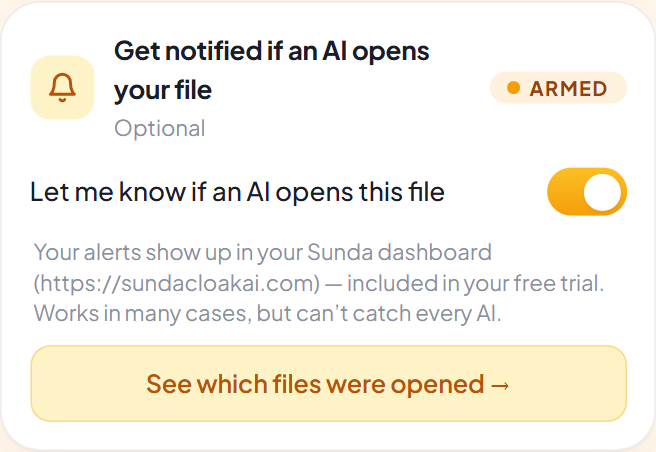
Turn the tripwire on and every copy you cloak from then on carries a hidden reference link that only machines read. When something follows it, your Sunda dashboard shows the moment it happened — one concrete signal that a tool went looking inside the copy you sent. A hit tells you the link in that particular copy was fetched: not who, not which AI product, and not what they did with the file.
It cannot catch every AI tool. It fires only when a tool actually follows the hidden link, and many never follow links inside uploaded files. Treat a hit as a clear signal — and a quiet tripwire as not proof that nobody looked.
Built for the AI tools your clients reach for
One cloaked copy, whichever assistant it gets dropped into. How much it slows an AI down depends on how that tool reads files — see how the protection works.
No setup, no settings to wrestle with. Pick a file, click, and Sunda handles the rest right on your computer.
Open Sunda Cloak and choose the Word, RTF, or OpenDocument file you're about to send. It never leaves your device.
One click and Sunda creates a cloaked copy. Same words, same formatting — proofread it like any deliverable, then send that one.
Your client reads your real words. An AI tool that ingests the file gets a far noisier read — and, if the tripwire is on, you may hear about it.
Half a minute on what Sunda Cloak actually does, recorded over the real popup — then two narrated minutes with the reasoning left in, and a wordless twelve-second animation. Nothing but a still frame loads until you press play, so the page stays as light as it was.
Sunda handing its shades over. Twelve seconds, no sound.
Why you’d cloak a deliverable at all, over the real popup: pick a file, protect and download, take hidden AI marks back out, and arm the tripwire before you send.
Nobody tells you this when you start freelancing. You hand over the work, they hand it to an AI, done. Now, every file goes through this first. One click, my own machine, nothing uploaded. Real names and numbers sit in a crowd of look-alikes. It guesses. Turn this on and it protects them the moment you attach them. And this one lets me know if an AI ever opened it. It cleans hidden marks out of AI drafts too. Sunda Cloak. Two weeks free. Go protect your work.
Two narrated minutes with the reasoning left in: who cloaking is for, taking hidden AI marks back out, what a tripwire hit does and doesn’t prove, and where automatic protection waits for your say-so.
You spent days on a document. Someone else drops it into an AI and 30 seconds later it’s their idea. In today’s digital world it’s all too easy for others to repurpose your work without permission. This poses a real risk to your intellectual property and the value of your efforts.
Sunda Cloak: a powerful Chrome extension designed to protect your work from unauthorized reuse, and ensure your original content stays safe. Sunda Cloak lets you send files that look perfect to your clients, without changing your original content. While your clients see everything clearly, AI tools face hidden decoys that make extracting your data much harder. This is the solution to protecting your deliverables.
Sunda Cloak is built specifically for professionals like consultants and agencies. Whether you’re working on research reports, strategy documents or creative projects, it helps preserve your insights and unique voice while preventing unauthorized AI use.
Protecting your documents with Sunda Cloak is simple. Just select your Word, RTF or OpenDocument file, and with a single click your work is secured, right on your device. Your client receives the original content, but AI systems encounter obstacles. No setup, nothing to install.
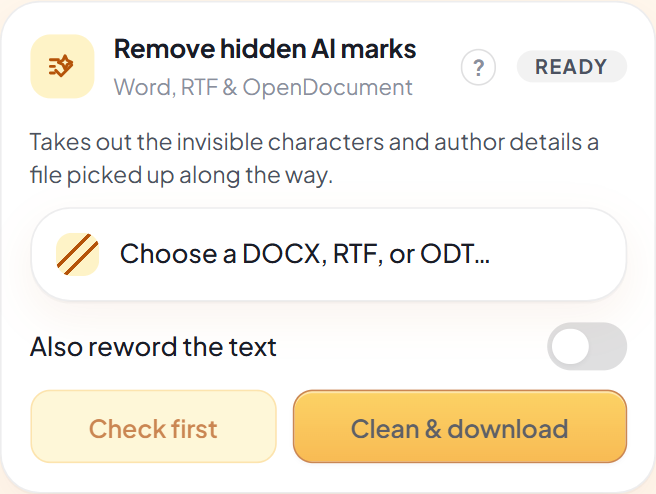
Artificial intelligence model inserted a marker into your text, got a file that’s been generated by an AI with some invisible signature. One click strips out the invisible signatures and stray author details it picked up along the way.
Sunda Cloak also includes a tripwire feature that helps you monitor AI access through hidden links, adding an extra layer of security to your deliverables. We hide a marker in the file, and if an AI opens it, it shows up on your dashboard. Switch on upload protection, and any document you attach to a site you’ve approved gets cloaked on the way out.
Sunda Cloak: free for 14 days, right in Chrome. Send your next deliverable protected.
The long film speaks in rounder terms than we do. Where it says your work is “secured”, read it as our page does: cloaking raises the cost of reusing a file, and it is a deterrent rather than a promise. The tripwire is off until you flip it and fires only when a tool actually follows the hidden link — a quiet tripwire is not proof that nobody looked. Automatic upload protection is off until you flip it too, and it covers only the websites you approve, one at a time. How the protection works.
Served from this site — no third-party player, and nothing that phones home.
The people on camera are narrators, not customers.
This is the actual Sunda Cloak popup — no mockups. Open it, pick a file, and download a cloaked copy. Here’s how that story plays out — the same three taps you just watched, held still.
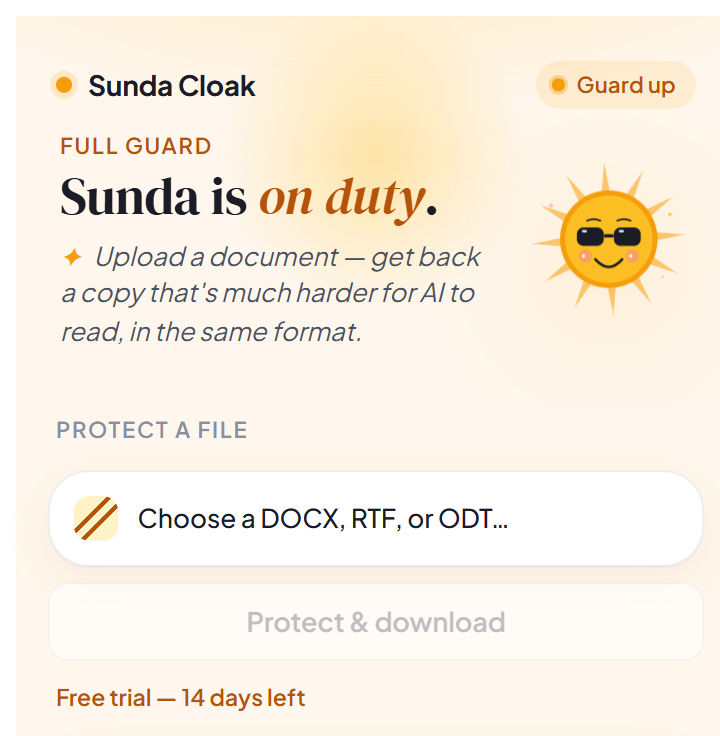
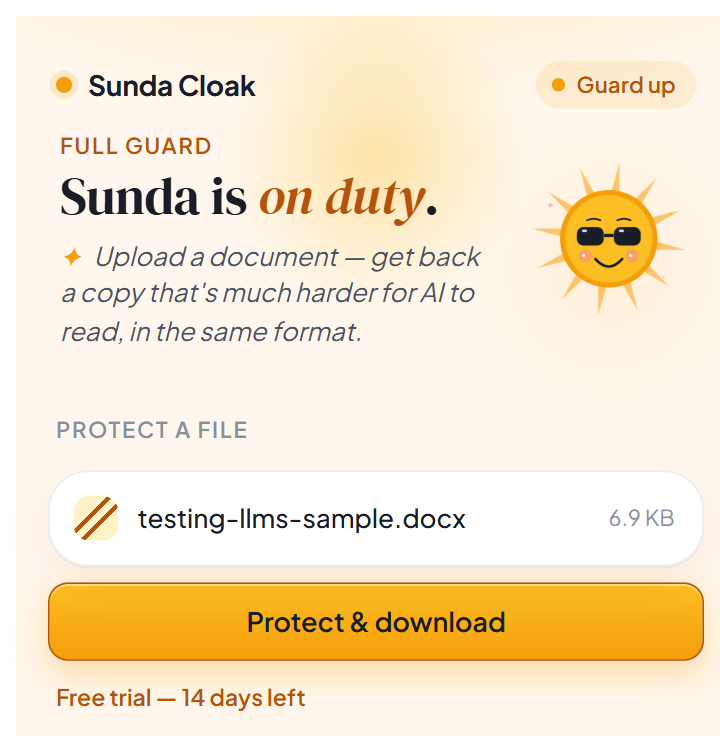
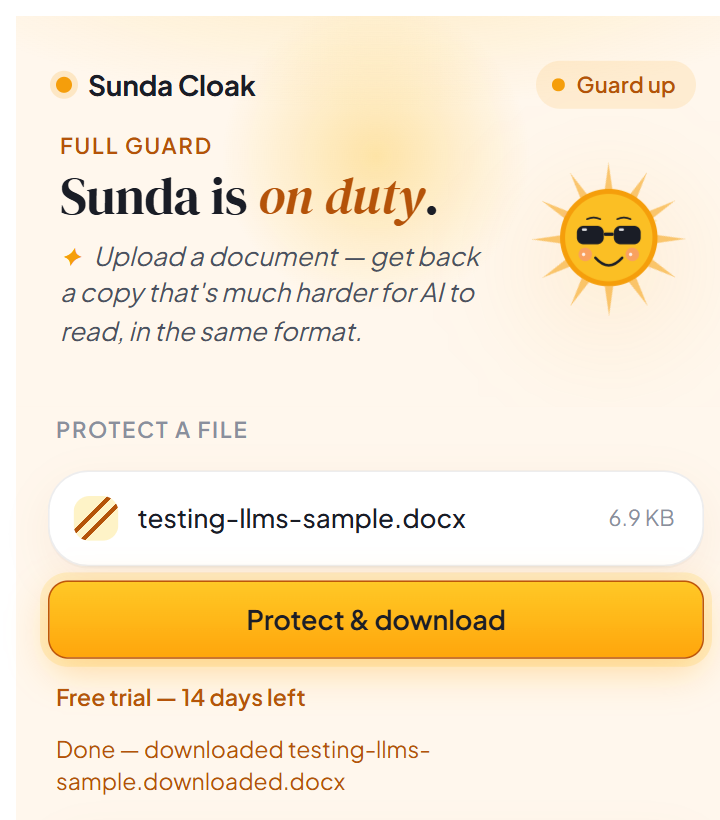
Every step runs right here on your device — nothing is ever uploaded.
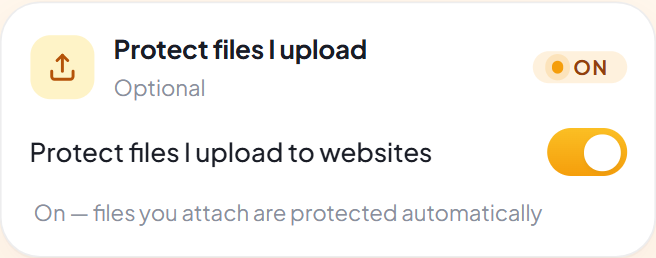
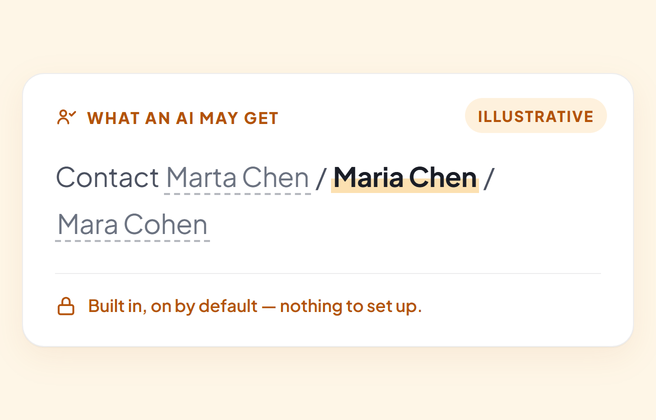
One protects the files you upload and stays off until you flip it; one — drowning personal details in decoys — is built in from day one; and one works the other way round, taking hidden marks back out of a document.
Here's the same paragraph two ways: what your client reads when they open the file, and an illustration of the noisier text an AI tool has to wade through when the file is uploaded.
Our Q3 revenue reached $4.2 million, up 18% from last year. The board approved the Northwind acquisition on March 9th, with Maria Chen leading the integration.
Illustration of what an AI extractor may receive: your real numbers, names and dates are still in the file, mixed in with plausible decoys that only machines read, so an AI has a much harder time telling which is which. Simplified — the real copy carries about a dozen decoys per fact plus whole hidden decoy paragraphs, and some extractors strip hidden text and see the original.
Your real details stay exactly as you wrote them. For an AI, every fact now arrives with look-alike decoys — harder to extract, harder to trust, harder to reuse. We've marked the real one for you; the AI gets no such marker.
Illustrative and simplified: a real cloaked copy carries about a dozen decoys per fact plus whole hidden decoy paragraphs, and the wording varies. Some extractors strip hidden text and see the original — how much gets through depends on the tool.
Everything you'd want from a document deterrent, and nothing you have to think about.
Open the cloaked copy and every word and number is right where you left it. The protection is invisible — proofread it like any deliverable.
Names, numbers and dates are drowned in look-alike decoys only machines read. Harder to extract — not removed, and not guaranteed.
Everything happens on your own device. Your document is never uploaded, and there's no tracking — ever.
One copy for every AI tool your client might use — ChatGPT, Claude, Copilot, Gemini. How much it slows each one down varies by how that tool reads files.
On supported computers, Sunda uses on-device AI to write more convincing decoys — and it never sends a thing online.
No accounts to wire up, no dials to tune. Pick a file, click once, and you're done.
If you sell thinking in a Word file, the moment it leaves your hands it can be dropped into an AI and regenerated without you. These are the hand-offs Sunda is built for.
The findings are the product. Cloak the final before it goes out so the file that gets forwarded around is a poor seed for “rewrite this for our other markets”.
Your method is what they’ll want to run again next quarter. The client still reads every step; an AI gets a much harder time turning it into a reusable recipe.
Voice and phrasing are the deliverable. Cloaking raises the cost of “now do twelve more like this” without changing a word the client reads.
The riskiest document you send: full of approach, no paper protecting it yet. Cloak it, and consider an approach-summary version for first contact.
Drafts travel the furthest and get the least care. Cloak each round, keep the tripwire on, and send the clean final when the engagement closes.
The sample that wins the work is also the easiest thing to clone. Cloak the sample, keep the working files for signed clients, and say so plainly — it reads as professional, not precious.
Strong where it matters, simple everywhere else — and honest about the rest.
Start with a 14-day free trial. Keep going for $2.99 a month — less than a coffee. Cancel anytime.
Sometimes, yes — and we'd rather you hear that from us. Nothing in your document is removed; Sunda adds hidden decoys that only machines read. Tools that ingest hidden text get a noisy, unreliable read. Tools that strip hidden text, a screenshot, a PDF export, or a plain copy-paste out of Word can still get your original. It's a deterrent against casual, one-click AI ingestion — not a guarantee, and not a substitute for a contract. Here's exactly what it does and doesn't do.
Never. Sunda Cloak does all its work right on your own device. Your file isn't sent to us, to the cloud, or to anyone else, and nothing about it is tracked.
Yes. When they open it, they see exactly what you wrote — same words, same numbers, same formatting. The additions are hidden text that only machines read. Proofread the cloaked copy like any deliverable: in some documents a line or page break can shift.
We think so — it reads as a professional norm, not an apology, and it avoids surprises if they need a searchable or translatable copy. We wrote a short page with a sample email line and contract clause, plus guidance on when to just send an uncloaked copy.
Yes — that's what Remove hidden AI marks does. Documents pick up invisible characters as they get written and passed around: zero-width marks, odd spacing, direction controls, plus the author and tool details saved inside the file. One click takes them out on your device, and your words, numbers and layout stay exactly as they are. “Check first” tells you what's in a file before you change it. Two honest limits: it leaves alone the characters that emoji and languages like Persian and Hindi genuinely need, and it can't undo a mark hidden in word choice — for that there's an optional reword that runs on your own computer.
Word documents (DOCX), Rich Text files (RTF), and OpenDocument files (ODT). Pick one, click once, and you get a cloaked copy back. Plain text, Markdown and PDF aren't supported — they have nowhere to hide the decoys.
Not at all. If you can open a file and click a button, you can use Sunda Cloak. There's nothing to set up and nothing to configure.
You can try everything free for 14 days. After that, Sunda Pro is $2.99 a month, and you can cancel anytime.
Cloak the deliverable in one click — private, on your device, and ready to send.
Free for 14 days, then $2.99/month. Cancel anytime.